The CosyVerif platform offers a set of services that can be operated on models. Each model must respect the definition of a formalism. Then, when you connect to CosyVerif using a client, you may browse and activate the services that are available for this formalism.
- Formalism Described in FML
- Model Described in GrML
- Tools & services Run verification
The sections below provide more information about services.
What is a formalism of CosyVerif?
A formalism defines a class of labelled oriented graphs. It consists of:
- defining the different kinds of vertices,
- defining the different kinds of edges,
- associating attributes with vertices,
- associating attributes with edges,
- defining global attributes.
The formalism is described in a dialect of XML called FML. The example below is built up in three steps.
1 Start with an unlabelled oriented graph — a single kind of vertex and a single kind of edge.
<?xml version="1.0" encoding="UTF-8"?>
<formalism name="Graph" xmlns="http://cosyverif.org/ns/formalism">
  <nodeType name="vertex"/>
  <arcType name="transition"/>
</formalism>
2 To check reachability, add a name and an initialVertex attribute to vertices (the latter defaults to false).
<?xml version="1.0" encoding="UTF-8"?>
<formalism name="Graph" xmlns="http://cosyverif.org/ns/formalism">
  <nodeType name="vertex"/>
  <!-- attributes of vertex -->
  <leafAttribute name="name" refType="vertex"/>
  <leafAttribute name="initialVertex" refType="vertex" default="false"/>
  <arcType name="edge"/>
</formalism>
3 Finally, add a global title attribute that applies to the whole graph.
<?xml version="1.0" encoding="UTF-8"?>
<formalism name="Graph" xmlns="http://cosyverif.org/ns/formalism">
  <!-- global attribute -->
  <leafAttribute name="title" refType="Graph"/>
  <nodeType name="vertex"/>
  <!-- attributes of vertex -->
  <leafAttribute name="name" refType="vertex"/>
  <leafAttribute name="initialVertex" refType="vertex"/>
  <arcType name="transition"/>
</formalism>
How to define a model of a formalism?
A model of a formalism is also described in a dialect of XML called GrML. Once the formalism is defined, a tool integrated in CosyVerif checks whether the model conforms to the formalism.
A graph with three vertices u, v, w can be represented in GrML as follows.
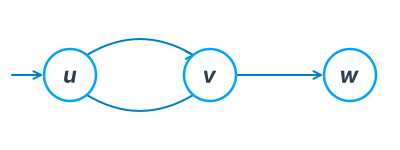
u, v and w (u is the initial vertex).<?xml version="1.0" encoding="UTF-8"?>
<model formalismUrl="http://formalisms.cosyverif.org/graph.fml" xmlns="http://cosyverif.org/ns/model">
<!-- title of the model -->
<attribute name="title">A simple example</attribute>
<!-- vertex u -->
<node id="1" nodeType="vertex">
<attribute name="name">u</attribute>
<attribute name="initialVertex">true</attribute>
</node>
<!-- vertex v -->
<node id="2" nodeType="vertex">
<attribute name="name">v</attribute>
</node>
<!-- vertex w -->
<node id="3" nodeType="vertex">
<attribute name="name">w</attribute>
</node>
<arc id="101" arcType="edge" source="1" target="2"/>
<arc id="102" arcType="edge" source="2" target="1"/>
<arc id="103" arcType="edge" source="2" target="3"/>
</model>
More information can be found in the formalisms repository.
From models to tools
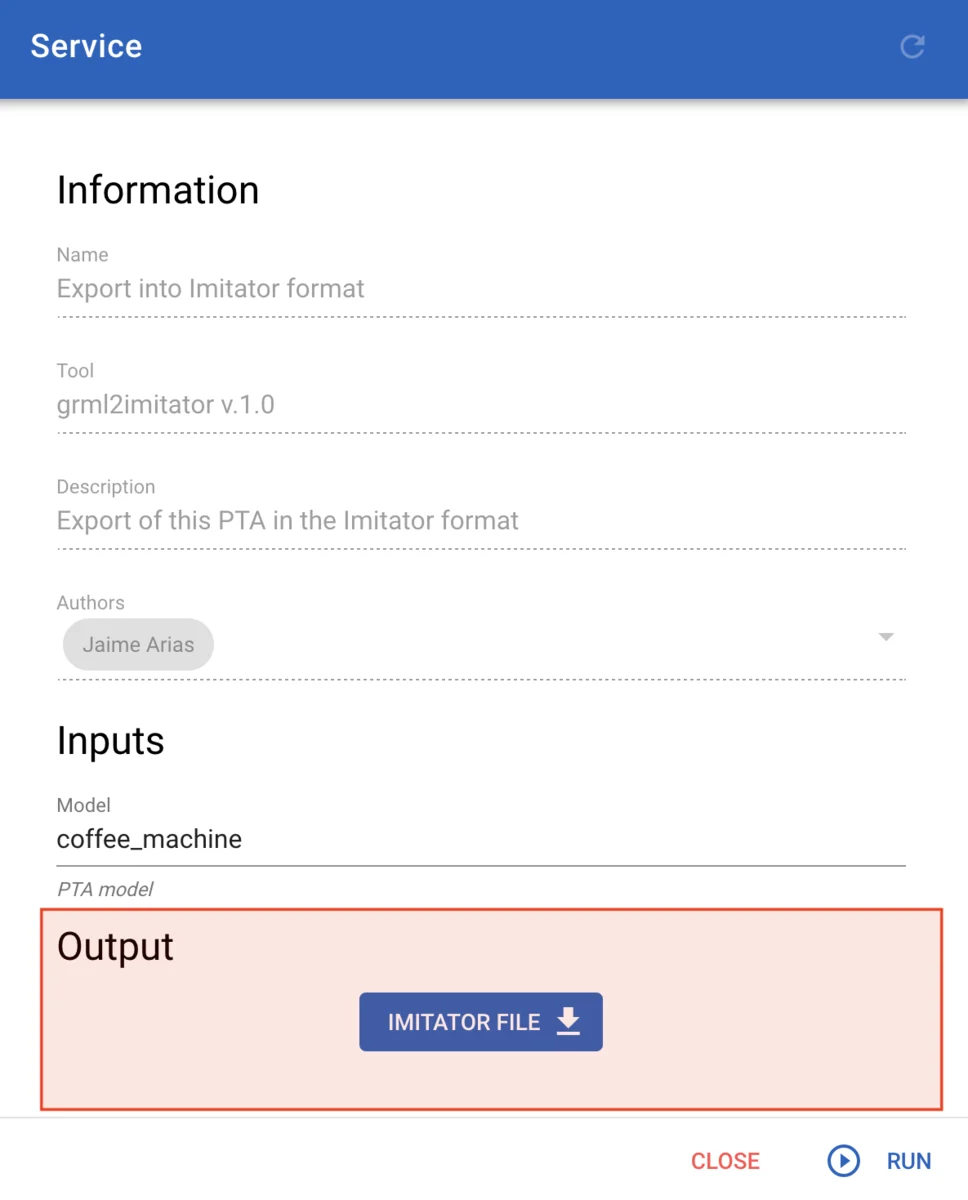
At any time during model edition by CosyDraw, the user may invoke the related services (see figure below).
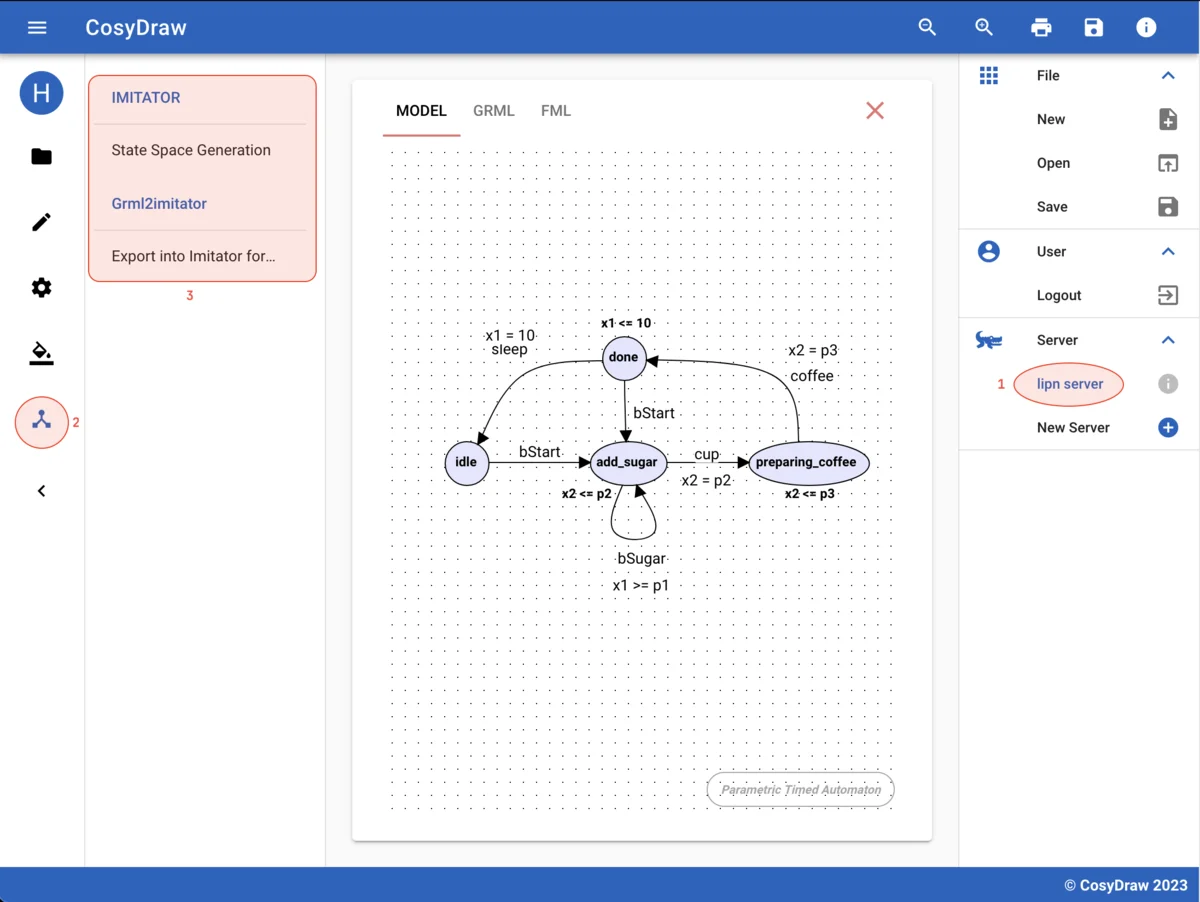
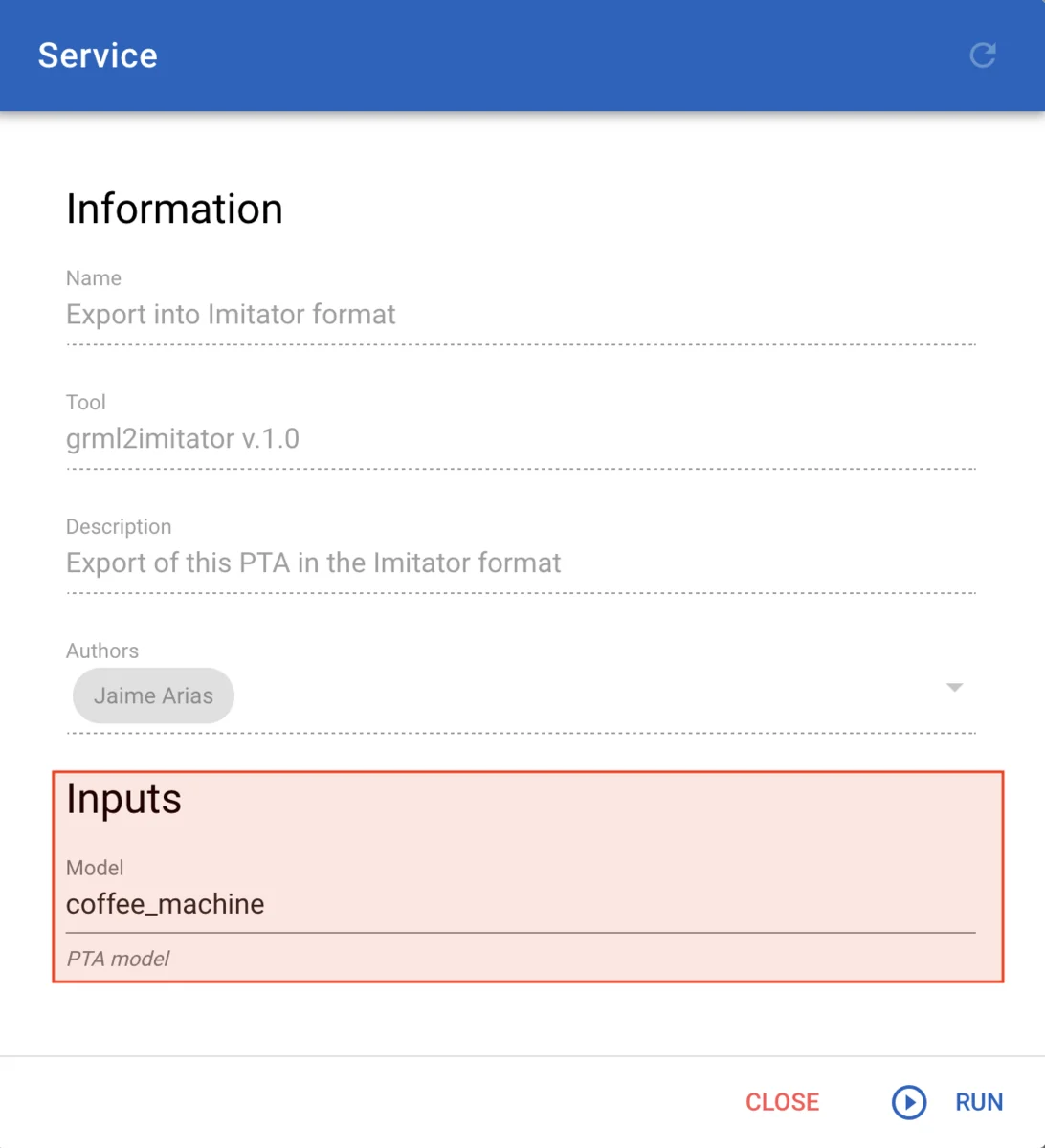
Then, after selecting a service (here IMITATOR), the user is requested to provide the parameters of the invocation (see figure below).
Once the service has finished, the results can be downloaded in the Output section (see figure below).